Paying for an ATV Permit by E-Transfer
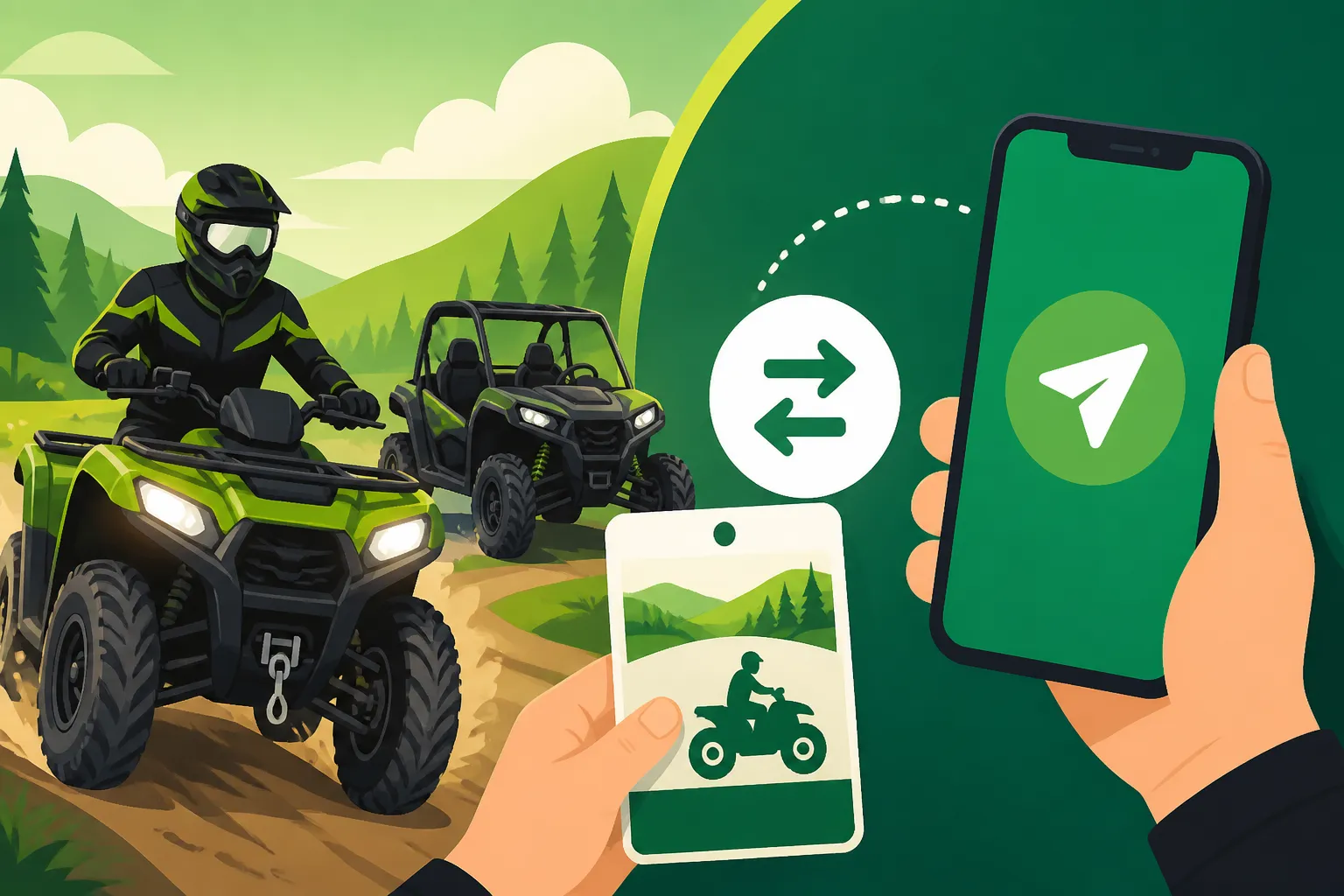
It can be incredibly frustrating when you're all geared up to hit the trails or get some work done on your quad, only to find yourself bogged down by paperwork and payment methods that feel stuck in the past. Especially in Saskatchewan, where ATV rules can be a bit… unique, figuring out how to pay for a municipal ATV permit, like those offered by some towns or RMs, can add an unnecessary layer of stress. This guide is here to walk you through the surprisingly straightforward process of paying for your ATV permit using an e-transfer, ensuring you can get your machine legitimized and back on the path with minimal hassle.
Understanding Municipal ATV Permits in Saskatchewan
First things first, let's clear up a common misconception: Saskatchewan does not have a provincial ATV registration system. This can be a huge source of confusion for new riders or those moving from other provinces where a central registry is the norm. So, if you're looking for a province-wide plate or sticker, you won't find one. This is why you won't find a provincial database for things like ownership or liens, which can make things interesting when buying or selling a used machine. For a deeper dive into this, you might find [Why Saskatchewan Never Built a Quad Registry] enlightening.
However, that doesn't mean there are no rules about identifying your machine. While the province doesn't mandate registration, many rural municipalities (RMs), towns, and villages have taken matters into their own hands. They’ve established local bylaws requiring permits or plates for ATVs and UTVs operated within their jurisdictions, especially on public roads, ditches, or designated trails. These municipal permits are essential if you plan to ride in these specific areas, and they often come with their own set of rules and, yes, payment methods. These schemes effectively [Municipal Plates Fill the Gap the Province Left] in provincial oversight.
Why Municipalities Issue Permits
Local governments often step in to regulate ATV use for a few key reasons. Firstly, it's about safety. By requiring permits, they can better track who is riding where, establish local rules for speed or noise, and ensure riders are aware of responsible operating practices. Secondly, it's about funding. The fees collected from these permits often go directly back into local infrastructure, like maintaining trails, signage, or even enforcing local bylaws. It’s a way for the community to manage and benefit from ATV recreation. Finally, it provides a semblance of identification. While not a provincial registration, a municipal plate or sticker gives law enforcement a local point of reference, especially useful when dealing with incidents or ensuring compliance with local ordinances. Knowing [Which Municipalities Run Their Own Plate Scheme] is crucial before you plan your ride.
Proof of Ownership and Your Permit Application
Before any municipality will issue you a permit, they'll need proof that the ATV or UTV you're seeking to permit actually belongs to you. Since there's no provincial title, this usually means presenting a solid bill of sale. This document is your primary evidence of ownership in Saskatchewan. It should clearly identify the buyer and seller, the machine's make, model, year, and crucially, its Vehicle Identification Number (VIN) or serial number. Think of your bill of sale as the bedrock of your ownership claim. If you're wondering how to properly document a sale, or even just need a reliable template, services like LawDepot offer excellent resources for creating legally sound bills of sale, helping to ensure all necessary details are captured. A well-prepared bill of sale prevents headaches down the line and clarifies [Saskatchewan Proof of Ownership Without a Registry].
When you go to apply for your municipal permit, have this bill of sale readily available. The municipal office will likely make a copy for their records, ensuring they have verifiable proof of your ownership before issuing a permit. This step is non-negotiable, and it’s why understanding [Saskatchewan Bills of Sale Do the Work] is so important for ATV owners here.
Preparing Your E-Transfer for Permit Payment
Okay, so you've understood why you need a municipal permit and you've got your ownership documents in order. Now comes the payment. Many smaller municipal offices have adapted to modern banking practices, and e-transfer has become a convenient option. However, it's not like sending money to a friend; there are specific details you need to get right to ensure your payment is correctly attributed to your permit application.
Confirming E-Transfer as an Accepted Method
Before you even log into your online banking, the absolute first step is to confirm directly with the specific municipal office that they accept e-transfers for permit payments. While it's becoming more common, not all offices are set up for it, or they might have specific procedures. A quick phone call to the town, village, or RM office is all it takes.
During this call, ask:
- "Do you accept e-transfers for ATV permit payments?"
- "What is the exact email address the e-transfer should be sent to?" (This is critical – don't guess!)
- "Is there a specific security question and answer I should use?" (Some municipalities prefer this for security, others might have auto-deposit.)
- "What information should I include in the e-transfer message or memo?" This last point is perhaps the most important for ensuring your payment is processed smoothly.
It's tempting to just assume, but confirming these details upfront will save you a lot of grief. Imagine sending an e-transfer to the wrong email or without the correct reference, and then wondering why your permit hasn't been issued! To avoid such pitfalls, [Planning a Village Office Visit Before You Drive] or at least calling ahead, is always a good idea.
Gathering Required Information for the E-Transfer Memo
The memo or message field in your e-transfer is where you communicate what the payment is for. Without clear instructions here, the municipal staff might have no idea who sent the money or what permit it's meant to cover. This can lead to delays or even your payment being returned.
Here’s a checklist of information you should consider including in the e-transfer memo:
- Your Full Name: As it appears on your permit application and ownership documents.
- Your Contact Information: A phone number and/or email address where they can reach you if there are questions.
- Permit Type: Specify "ATV Permit" or "UTV Permit."
- Permit Year: Clearly state which year the permit is for (e.g., "2024 ATV Permit").
- Machine Details: Include the make, model, and VIN/serial number of the ATV/UTV. This links the payment directly to the specific machine.
- Application Reference (if applicable): If you've already submitted a paper or online application that generated a reference number, include that.
- Property Address: If the permit is linked to a specific property (e.g., for local resident rates), include your property address.
For instance, a good memo might read: "John Doe, 555-123-4567, 2024 ATV Permit for 2023 Polaris Ranger, VIN: 123ABCDEF456789, Application #A-789." This level of detail makes it incredibly easy for the municipal office to match your payment to your application, speeding up the entire process.
Sending Your E-Transfer: A Step-by-Step Guide
Once you've confirmed the details with the municipal office and gathered all the necessary information for the memo, sending the e-transfer is usually the easiest part. It's just like sending money to anyone else, but with those crucial details in place.
Step 1: Log Into Your Online Banking
Access your personal online banking portal or mobile banking app. Navigate to the "e-Transfer," "Interac e-Transfer," or "Send Money" section. The exact wording might vary slightly depending on your financial institution (e.g., RBC, CIBC, Scotiabank, TD, BMO, local credit unions).
Step 2: Set Up the Recipient
You'll need to add the municipal office as a new recipient.
- Recipient Name: Use the official name of the municipality (e.g., "Village of Candle Lake," "RM of Duck Lake," "District of Lakeland No. 521"). Ask for this official name during your initial phone call if you're unsure.
- Recipient Email Address: This is the exact email address provided by the municipal office. Double-check it! A single typo can send your money into the void.
Some systems allow you to save recipients for future use, which can be handy if you plan on renewing your permit annually. Remember, [Every Lakeland Plate Expires on April 30], so setting them up as a recipient will make future renewals a breeze.
Step 3: Enter the Payment Amount
Enter the exact permit fee. Confirm the correct amount with the municipal office during your initial call, or check their website/bylaws. Don't forget to account for any provincial sales tax (PST) if applicable, though for permit fees, it's often not an issue. For instance, [Candle Lake Charges $25 for an ATV Permit].
Step 4: Add the Security Question and Answer (if required)
If the municipal office requires a security question and answer, enter the exact question and answer they provided. This is crucial for them to accept the funds. If they use auto-deposit, you won't need this step. Always verify which method they use.
Step 5: Fill Out the E-Transfer Message/Memo
This is where all that preparatory work pays off. Paste or type in all the detailed information you gathered (your full name, contact, permit type, year, machine details, application reference, property address). Be thorough. This message is your proof that you correctly identified your payment. If you're ever questioned about your payment, this memo is your evidence.
Step 6: Review and Send
Carefully review all the details: recipient name, email, amount, security question/answer (if applicable), and especially the memo. Once you're confident everything is correct, hit "Send." You should receive a confirmation email from your bank shortly after.
After the E-Transfer: What to Expect
Sending the e-transfer isn't the final step, but it's a huge one. What happens next, and what should you do to ensure you actually receive your permit?
Confirmation and Processing Time
Typically, you'll receive an email notification from your bank once the municipal office has successfully deposited the e-transfer. This is your first piece of confirmation that the payment has gone through. Keep this email for your records!
Processing times for permits can vary. Smaller rural offices might process them a bit slower than a larger town. It’s always a good idea to ask about expected processing times when you make your initial phone call. If you don't hear anything back or receive your permit within the stated timeframe, a polite follow-up call to the municipal office is perfectly acceptable.
Receiving Your Permit or Plate
Once processed, the municipal office will issue your ATV permit or plate. Depending on their procedures, they might mail it to your address, or you might need to pick it up in person. Again, clarify this during your initial contact. For places like Candle Lake, you might find yourself [Picking Up a Plate at the Candle Lake Office].
Your permit or plate should clearly state its validity period and include unique identifiers for your machine. This could be a sticker for your ATV, a physical plate to attach, or a paper permit to carry with you.
Keeping Records and Proof of Payment
Even after you receive your permit, it's vital to keep good records. Store your e-transfer confirmation emails, a copy of the e-transfer memo, and any communication with the municipal office, along with your bill of sale and the permit itself. This creates a robust paper (or digital) trail of your ownership and compliance.
Should you ever need to demonstrate proof of ownership or permit status to a peace officer, or if there's a discrepancy with the municipal office, having these records readily accessible will be invaluable. Remember, in Saskatchewan, [Saskatchewan Bills of Sale for a Quad] and payment records are your key documents. Even if you needed to create an additional record for your files, a service like LawDepot could help you generate a detailed record of payment if you ever needed something more formal than an email. This comprehensive documentation ensures you're ready for anything an officer might [What an Officer Can Ask to See on a Grid Road] for.
Municipal Plate Renewals and E-Transfers
Many municipal ATV permits are annual, meaning you'll need to renew them each year. The good news is that if you've gone through the e-transfer process once, renewing is usually even simpler. The municipal office will likely have your details on file, and you might just need to send the e-transfer with a clear memo indicating it's a renewal for the specific year.
Annual Reminders and Deadlines
Some municipalities will send out renewal notices, but it's always best practice to mark your calendar. Many municipal plates expire on a specific date, like April 30th for many in Saskatchewan. Being proactive about your renewal ensures uninterrupted riding. If you're looking for more details on this, check out [Saskatchewan Municipal Plate Renewals].
The Benefits of E-Transfer for Renewals
Using e-transfer for renewals offers convenience, especially if you live far from the municipal office or have a busy schedule. You can send the payment anytime, anywhere, avoiding trips to the office or the need to mail a cheque. This means less time fussing with logistics and more time enjoying your ATV out on the trails or tending to chores around the farm.
| Step | Action | Key Information to Confirm | Why It Matters |
|---|---|---|---|
| 1. Initial Inquiry | Call or email the municipal office | E-transfer accepted? Email address? Security Q&A? Memo details? | Prevents payment errors and delays; ensures you follow their specific procedure. |
| 2. Prepare Information | Gather owner details, machine VIN, permit type, and year | Your full name, contact, ATV details (make, model, VIN) | Ensures the payment is correctly linked to you and your specific machine. |
| 3. Log In | Access your online banking or mobile app | Familiarize yourself with your bank's e-transfer feature | This is your portal for sending the money. |
| 4. Set Up Recipient | Add the municipal office as a new e-transfer recipient | Official municipality name, exact email address | Ensures money goes to the correct entity. |
| 5. Enter Amount | Input the exact permit fee | Confirmed permit fee | Avoids underpayment or overpayment issues. |
| 6. Add Memo | Include all gathered information in the e-transfer message | Name, contact, permit type/year, machine VIN, any application # | Crucial for the municipality to identify your payment and application. |
| 7. Review & Send | Double-check all details before confirming the transfer | All steps 1-6 are accurate | Final check to prevent mistakes; ensures swift processing. |
| 8. Keep Records | Save confirmation emails, memo details, and the issued permit | Digital and/or physical copies | Essential proof of payment and compliance for future reference or inquiries. |
Paying for your ATV permit via e-transfer is a modern convenience that many Saskatchewan municipalities are now offering. By following these steps and ensuring you communicate clearly with the municipal office, you can streamline the process, get your permit in hand, and spend less time on administration and more time riding the beautiful Saskatchewan landscape.
Disclaimer
This article is for general informational purposes only and does not constitute professional advice. Laws, prices and regulations vary by location and change over time. Consult a qualified professional for guidance on your specific situation.